
Mail a postcard the moment someone joins a Planning Center List.
Connect Planning Center once. Pick a People List. MailStream prints and mails a real postcard to every new member, then writes a Note on their profile. Lapsed students, first-time visitors, birthdays, first-time givers. From $0.64 a card, postage included.
How it works
Three steps. No spreadsheets, no print rep.
The setup takes about ten minutes and lives entirely inside two screens you already know: Planning Center Lists and the MailStream Integrations page.
Step 01
Connect Planning Center
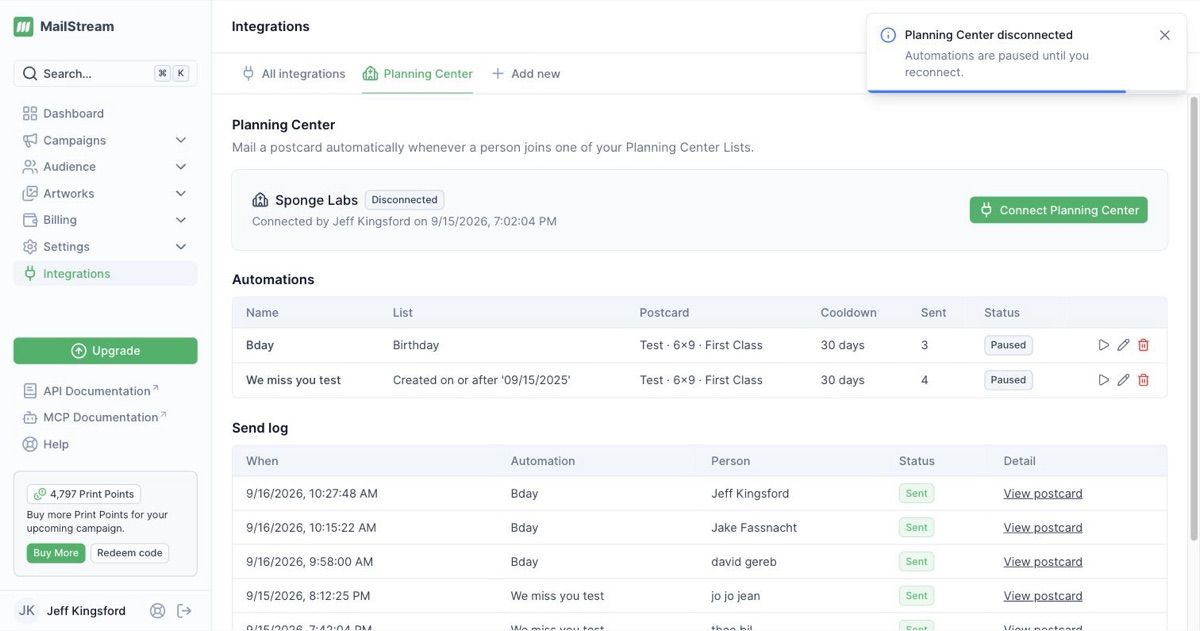
Open Integrations in MailStream, click Connect, and approve on the Planning Center consent screen. One scope, "people", nothing else. Your team never shares a password.
Step 02
Pick a People List
Any List you already have in Planning Center works. Turn on nightly auto-refresh, and the List keeps adding people who match your rule while you sleep.
Step 03
MailStream mails each new member
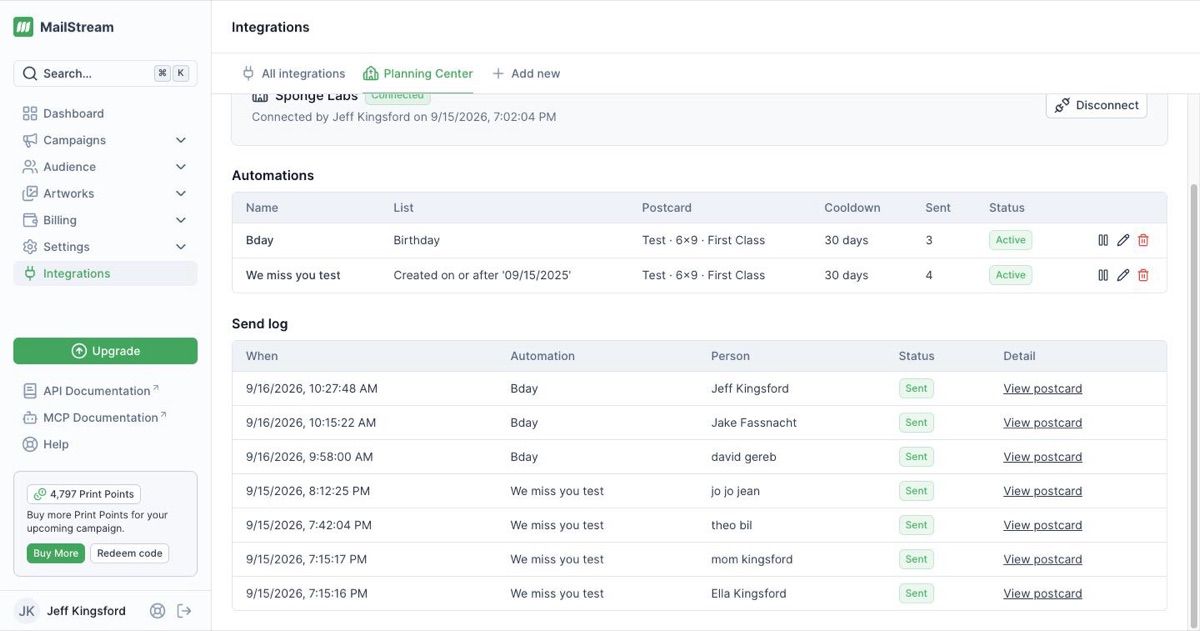
Name the automation, choose a front and back, set a cooldown, and save. When a person joins the List, a real postcard prints and mails, and a Note lands on their profile.
New to MailStream? The guide walks a church admin through every click.
Postcard templates
Five church postcards, ready to personalize.
Each 4x6 template has a front and a back, pulls the person’s first name from Planning Center, and opens in the MailStream Designer so you can swap the church name, colors, and offer.
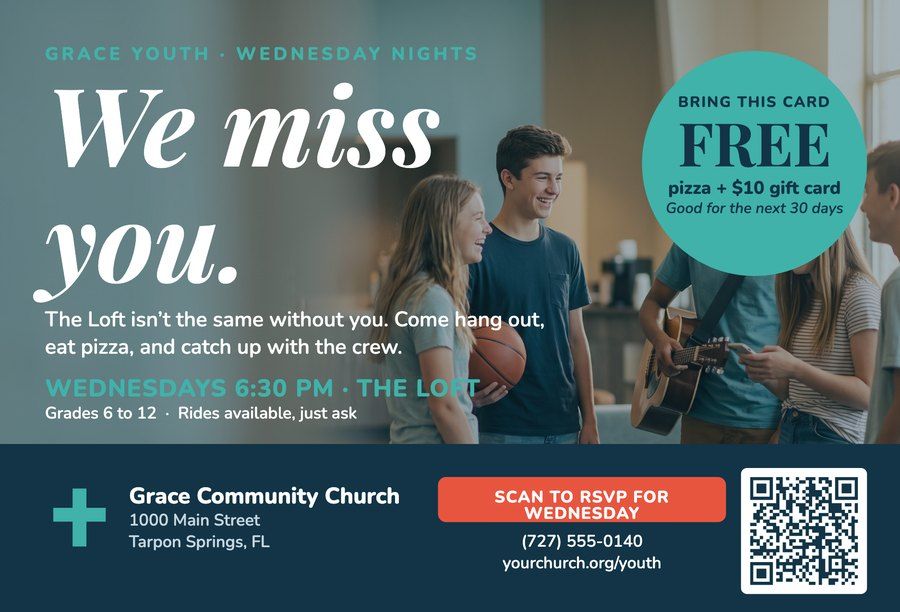
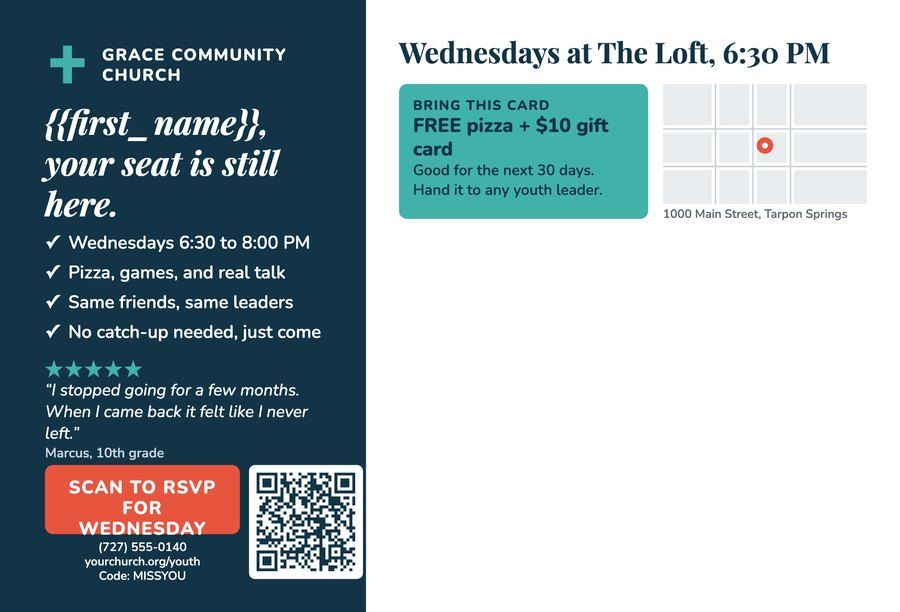
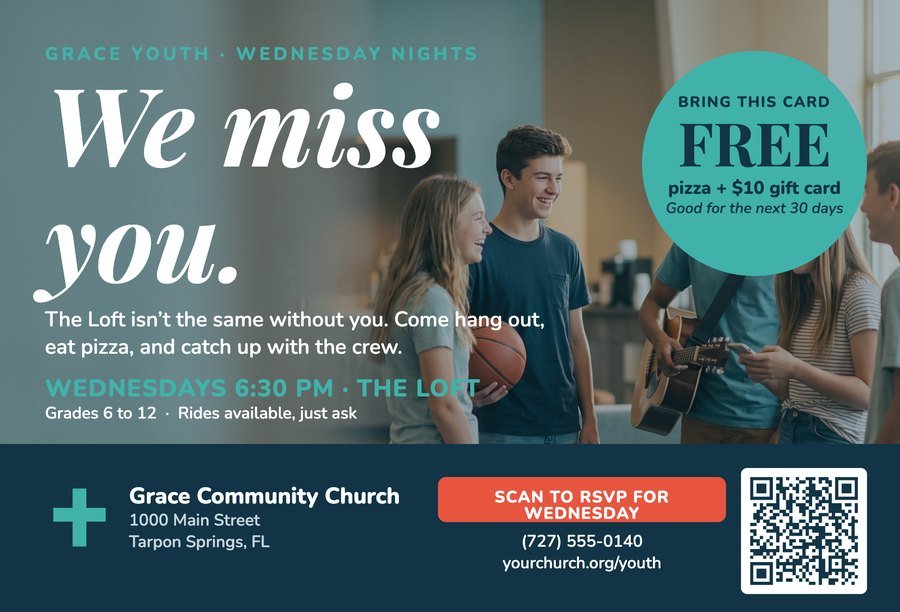
We Miss You
Pairs with: Lapsed youth
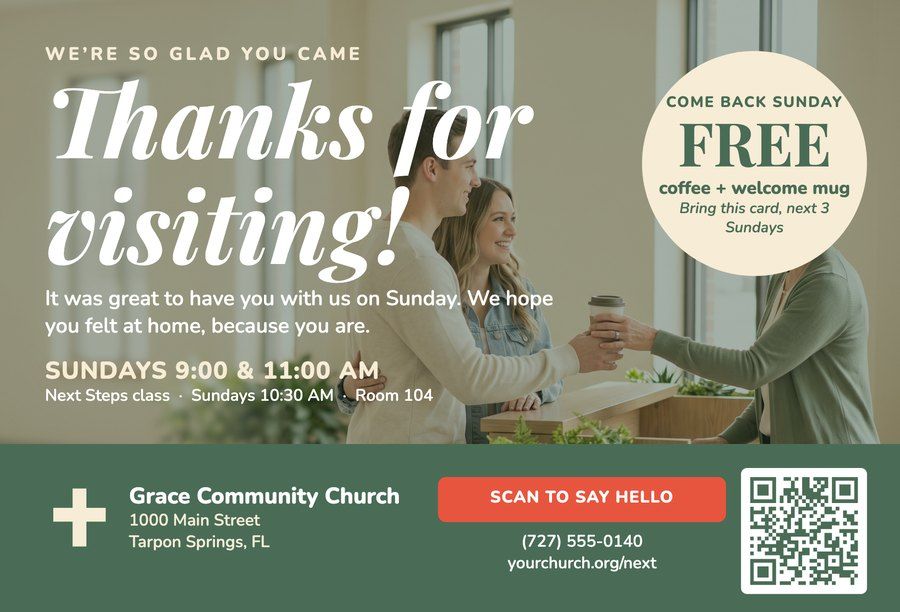
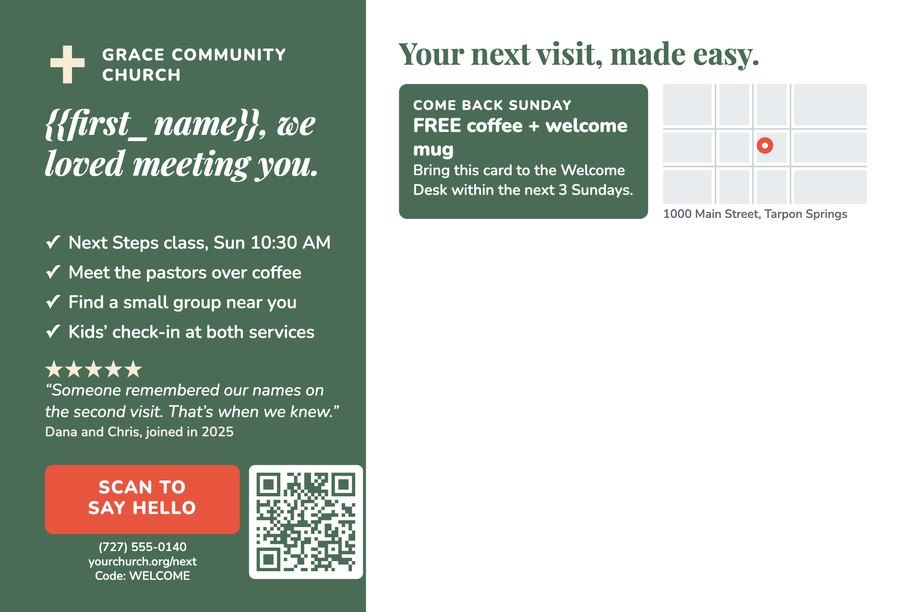
Thanks for Visiting
Pairs with: First-time visitor
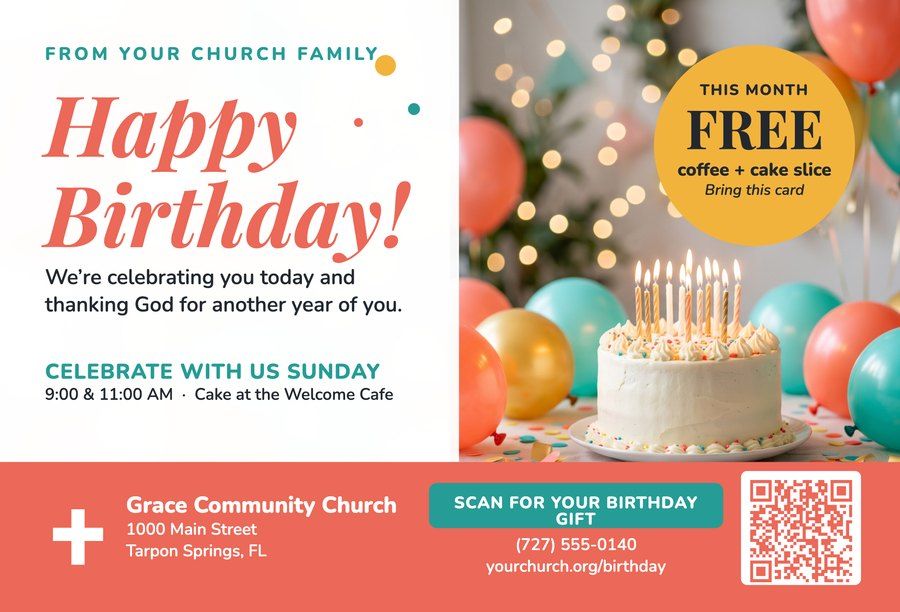
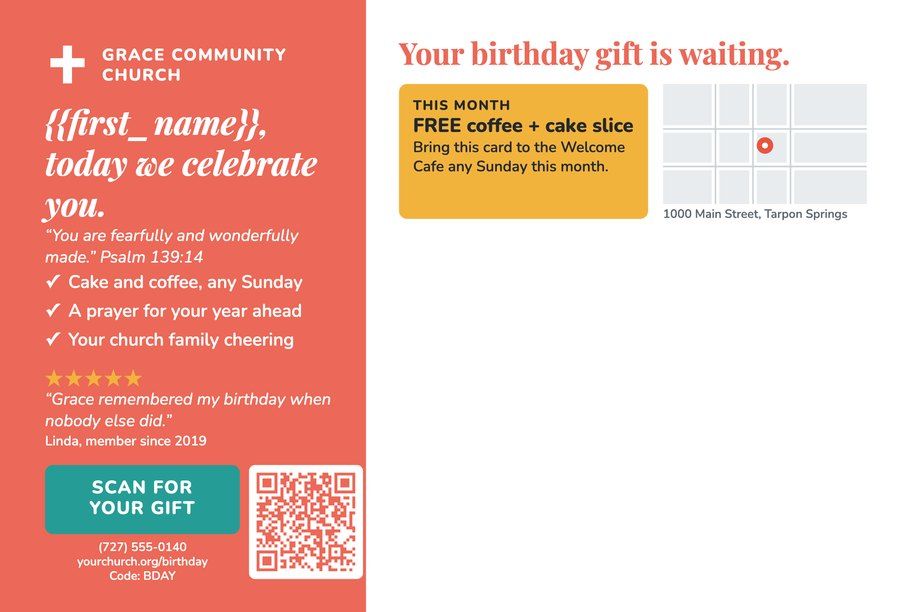
Happy Birthday
Pairs with: Birthday this week

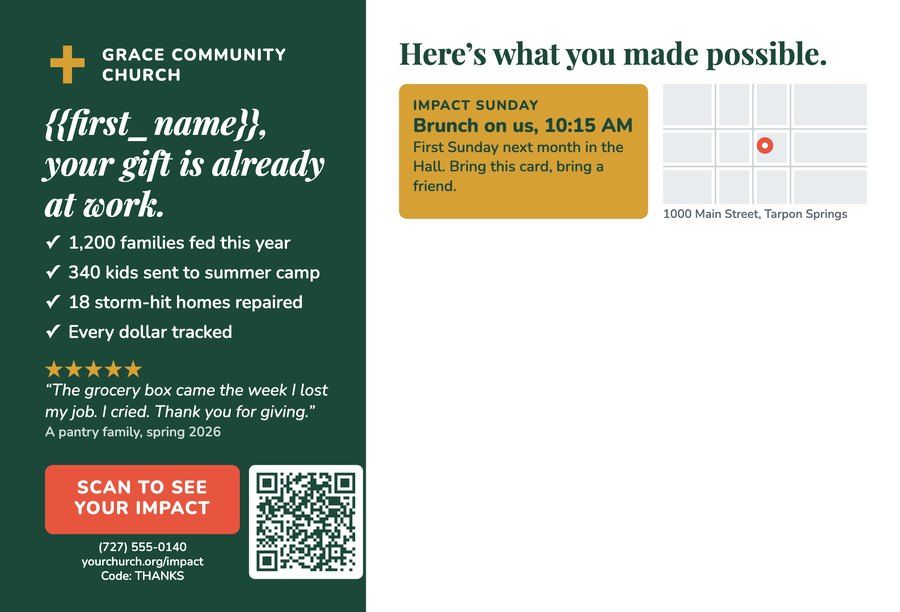
Thank You for Giving
Pairs with: First-time giver

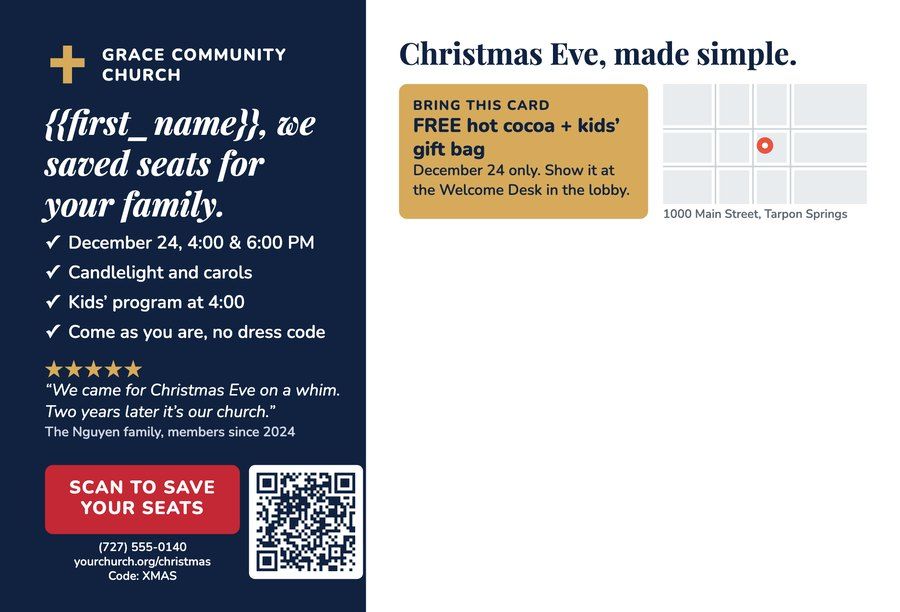
Holiday Invitation
Pairs with: Any List, seasonal
Pricing
From $0.64 a postcard. Postage included.
No minimums, no setup fee, no contract. You buy Print Points, each card debits its points when it is created, and a skipped send costs nothing.
- $0.64
- per postcard on Pro, postage included
- 1
- card minimum. One card is a campaign.
- 24hr
- from List join to printed and in the mail
Planning Center List recipes
Copy these rules. Build the List. The mail runs itself.
The List is the whole trick. Each recipe below shows the exact Planning Center conditions we built and tested, a screenshot of the real rule builder, and the postcard and cooldown to pair with it.
Every List, four steps
- 1
Open Lists
In Planning Center People, click the Lists tab, then New list. Give it a name that starts with "Mailstream:" so your team knows a postcard is attached.
- 2
Add the conditions
Click Add rule, then Add condition for each row in the recipe. Match every dropdown exactly as shown. Save.
- 3
Turn on nightly refresh
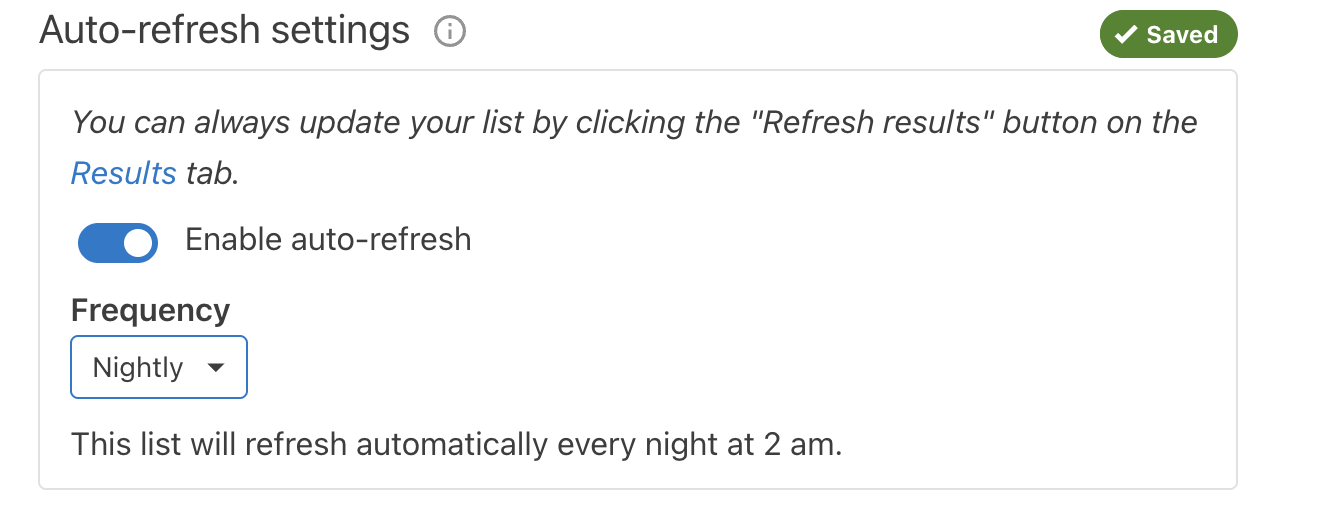
Open the List Settings tab, switch on Enable auto-refresh, and change Frequency to Nightly. It starts on Monthly, which is too slow.
- 4
Connect it in MailStream
In MailStream, go to Integrations, Planning Center, New automation. Pick the List, the postcard, and the cooldown from the recipe.
Youth not checked in for 14 days
Mail a "We miss you" card to a student who used to check in and has not checked in for two weeks.
In Planning Center People: Lists, New list
Name it Mailstream: Youth not checked in 14 days
People matchingallof these conditions
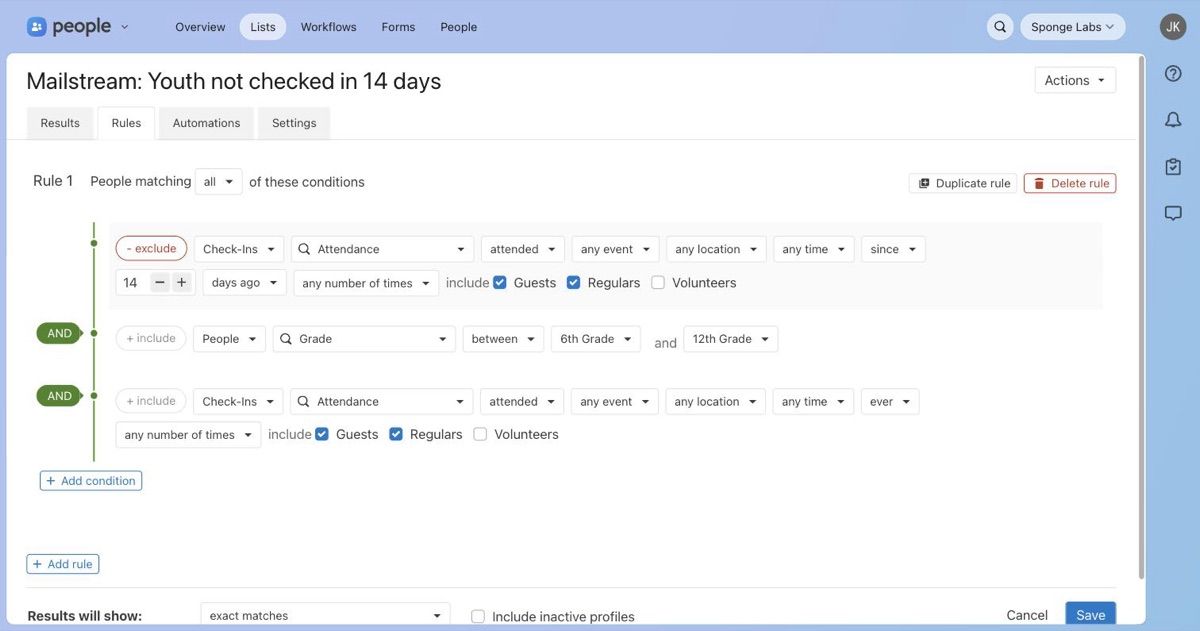
- Condition 1- excludeCheck-InsAttendanceattendedany eventany locationany timesince14days agoany number of timesincludeGuestscheckedRegularscheckedVolunteersunchecked
- ANDCondition 2+ includePeopleGradebetween6th Gradeand12th Grade
- ANDCondition 3+ includeCheck-InsAttendanceattendedany eventany locationany timeeverany number of timesincludeGuestscheckedRegularscheckedVolunteersunchecked
Why these conditions: Condition 1 removes anyone who checked in during the last 14 days. Condition 2 keeps the List to students. Condition 3 requires at least one check-in ever, so a brand-new profile with no history never gets a "we miss you" card.
Tip: Condition 1 is an exclude. Click the "+ include" pill to flip it to "- exclude". If your youth group has its own Check-Ins event, pick it instead of "any event" in conditions 1 and 3.
Then
- List Settings tab
- Auto-refresh on, Nightly
- MailStream postcard
- We Miss You
- Cooldown
- 60 days
- Write a Note on the profile
- On
A student who stays away can leave and re-enter this List. The 60-day cooldown stops a second card inside two months.
What it looks like in Planning Center
Test by adding a person
MailStream only hears about people who newly join a List. Clicking Refresh results on a List whose members did not change sends nothing. To test, add someone who matches the rules, then refresh.
Cards go out the morning after
Nightly refresh runs at 2 am. A person who qualifies today joins the List tonight, and the card is created right after.
No address, no card
People need a street, city, state, and ZIP on their profile. Anyone without one is skipped and shows as "Skipped (no address)" in your MailStream activity.
Built for church data
Minimal access. Full visibility.
- People scope only.
- MailStream reads names, birthdates, and mailing addresses for people who join a connected List. Nothing else is requested.
- A Note on every profile.
- Each card writes a Note under the "Mailstream" category so your team can see who was mailed and when.
- Cooldowns stop double sends.
- Set 1 to 365 days per automation. A person who rejoins the List inside the window is skipped, not mailed twice.
- Same price as every other card.
- An automated postcard goes through the same order path and Print Points balance as one sent from the app or API.
Frequently asked questions
- What does the integration do?
- MailStream mails a postcard automatically whenever a person joins one of your Planning Center People Lists. You choose the List, the front and back of the card, the postage class, and a cooldown. After the card is created, MailStream writes a Note on that person’s Planning Center profile so your team can see it was sent.
- What triggers a card?
- Only one event: a person joining a List. People who are already on the List when you create the automation do not get a card. Check-Ins and Giving events are not triggers on their own, but a People List can contain Check-Ins and Giving conditions, so build the rule into the List.
- Which plans include it?
- Every plan: Free, Pro, and Enterprise. Postcards start at $0.64 each including postage on the Pro plan. An automated card costs exactly the same as one sent from the app or the API.
- How does billing work?
- MailStream bills in Print Points. When an automation creates a card, the points for that card are debited at that moment. If your balance cannot cover the card, the send is skipped and logged, nobody is mailed, and nothing is charged. Admins buy points under Billing, then Print Points.
- Who can connect Planning Center?
- In MailStream, only a user with the admin role can connect, disconnect, or edit automations. In Planning Center, the person who approves the consent screen lends their permissions, so use an account with administrator or manager access to People. MailStream never sees your Planning Center password.
- What data does MailStream read and write?
- It asks for the "people" scope only and reads your organization name, your Lists, and, for each person who joins a connected List, first name, last name, nickname, birthdate, and mailing addresses. It writes two things back: a webhook subscription for the List-join event and a Note on the person’s profile after each card. It does not edit people, addresses, or Lists.
- Can I pause without deleting?
- Yes. Turn Active off in the editor and the automation keeps its setup and mails nobody. Disconnecting revokes the token at Planning Center, deletes the webhook subscription, and pauses every automation. Cards already created still mail, and your automations keep their settings for when you reconnect.